

Gifting Made Simple
Give the Gift of ChoiceClick below to purchase a Prairie Mall eGift Card that can be used at participating retailers at Prairie Mall.Buy Gift CardHome
HTML and CSS for Beginners
Coles
Loading Inventory...
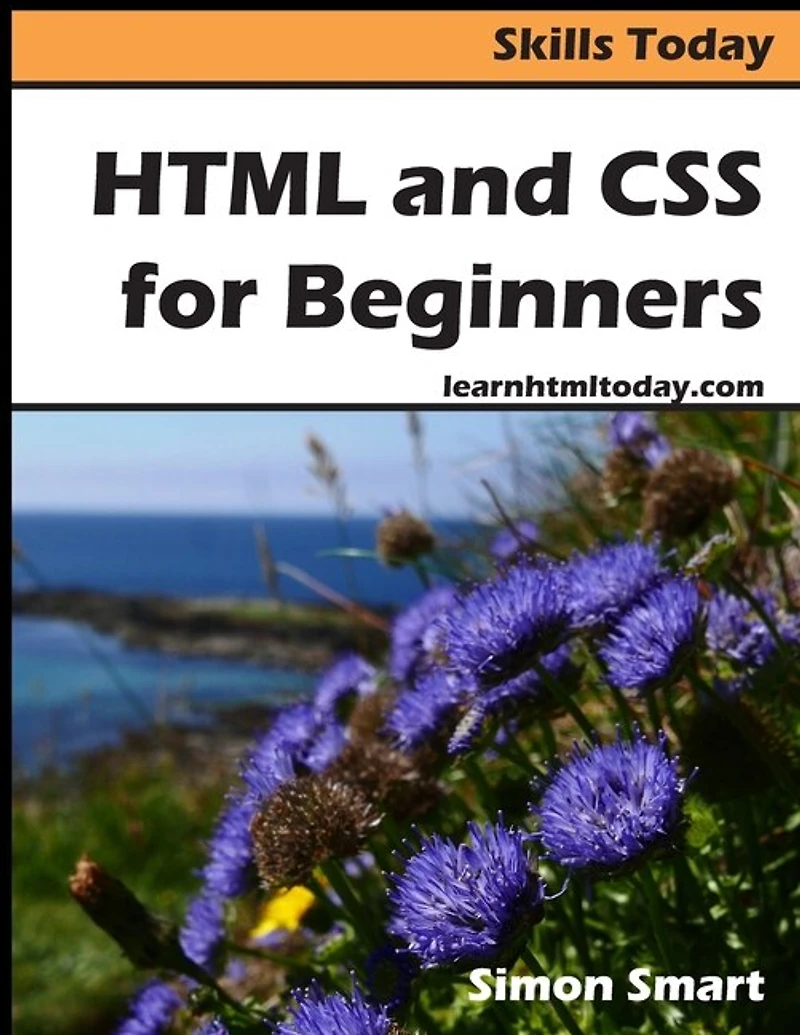
HTML and CSS for Beginners in Grande Prairie, AB
Current price: $12.95
Coles
HTML and CSS for Beginners in Grande Prairie, AB
Current price: $12.95
Loading Inventory...
Size: Paperback
*Product information and pricing may vary - to confirm current pricing, availability, shipping, and return information please contact Coles. In the event of a pricing discrepancy, the retailer's price will apply.
You can download the sample files for this course for free from learnhtmltoday.com. You can also view sample lessons before deciding whether to purchase. If you want to learn practical HTML skills in the shortest time possible, this is the course for you. The course's examples use free software, meaning you don't need to make any additional purchases. Unlike many other courses, this book works entirely with practical examples. You won't be slowed down by long explanations and instead will get started doing useful work immediately and will be able to begin creating and editing HTML web pages after just a few lessons. Many other HTML courses try to teach absolutely every feature of HTML, including features that are obscure or obsolete. This course is different. It focuses entirely on practical and useful HTML skills and won't slow you down by trying to teach skills that you don't need. This course also focuses on creating pages that will be supported by all major web browsers rather than pages that may only work on specific browsers. While this isn't a reference book, it contains a complete listing of HTML tags and CSS properties, making it useful for reference purposes even after you complete the course. Course Outlinetag and create CSS classes
Lesson 1: Create a very simple web page
Lesson 2: View your web page in your web browser and edit it
Lesson 3: Work with paragraphs and line breaks
Lesson 4: Format text with HTML tags
Lesson 5: Understand HTML and XHTML
Lesson 6: Work with lists
Lesson 7: Work with hyperlinks
Lesson 8: Display images and create image maps
Lesson 9: Embed audio and video
Lesson 10: Use meta and link tags
Lesson 11: Create tables
Lesson 12: Use iframes
Lesson 13: Understand CSS
Lesson 14: Use inline CSS with the
and tags
Lesson 15: Use CSS in the
Lesson 16: Create CSS identifiers
Lesson 17: Use CSS to create rollover buttons
Lesson 18: Create a page layout with CSS
Lesson 19: Add menu items and columns using CSS floats
Lesson 20: Use absolute positioning
Lesson 21: Use relative positioning
Lesson 22: Use forms and scripts
Appendix A: HTML Tags Listing
Appendix B: CSS Properties Listing
You can download the sample files for this course for free from learnhtmltoday.com. You can also view sample lessons before deciding whether to purchase. If you want to learn practical HTML skills in the shortest time possible, this is the course for you. The course's examples use free software, meaning you don't need to make any additional purchases. Unlike many other courses, this book works entirely with practical examples. You won't be slowed down by long explanations and instead will get started doing useful work immediately and will be able to begin creating and editing HTML web pages after just a few lessons. Many other HTML courses try to teach absolutely every feature of HTML, including features that are obscure or obsolete. This course is different. It focuses entirely on practical and useful HTML skills and won't slow you down by trying to teach skills that you don't need. This course also focuses on creating pages that will be supported by all major web browsers rather than pages that may only work on specific browsers. While this isn't a reference book, it contains a complete listing of HTML tags and CSS properties, making it useful for reference purposes even after you complete the course. Course Outlinetag and create CSS classes
Lesson 1: Create a very simple web page
Lesson 2: View your web page in your web browser and edit it
Lesson 3: Work with paragraphs and line breaks
Lesson 4: Format text with HTML tags
Lesson 5: Understand HTML and XHTML
Lesson 6: Work with lists
Lesson 7: Work with hyperlinks
Lesson 8: Display images and create image maps
Lesson 9: Embed audio and video
Lesson 10: Use meta and link tags
Lesson 11: Create tables
Lesson 12: Use iframes
Lesson 13: Understand CSS
Lesson 14: Use inline CSS with the
and tags
Lesson 15: Use CSS in the
Lesson 16: Create CSS identifiers
Lesson 17: Use CSS to create rollover buttons
Lesson 18: Create a page layout with CSS
Lesson 19: Add menu items and columns using CSS floats
Lesson 20: Use absolute positioning
Lesson 21: Use relative positioning
Lesson 22: Use forms and scripts
Appendix A: HTML Tags Listing
Appendix B: CSS Properties Listing








Find at Prairie Mall in Grande Prairie, AB
Visit at Prairie Mall in Grande Prairie, AB